iOS Computer Vision Apps for Rehabilitation
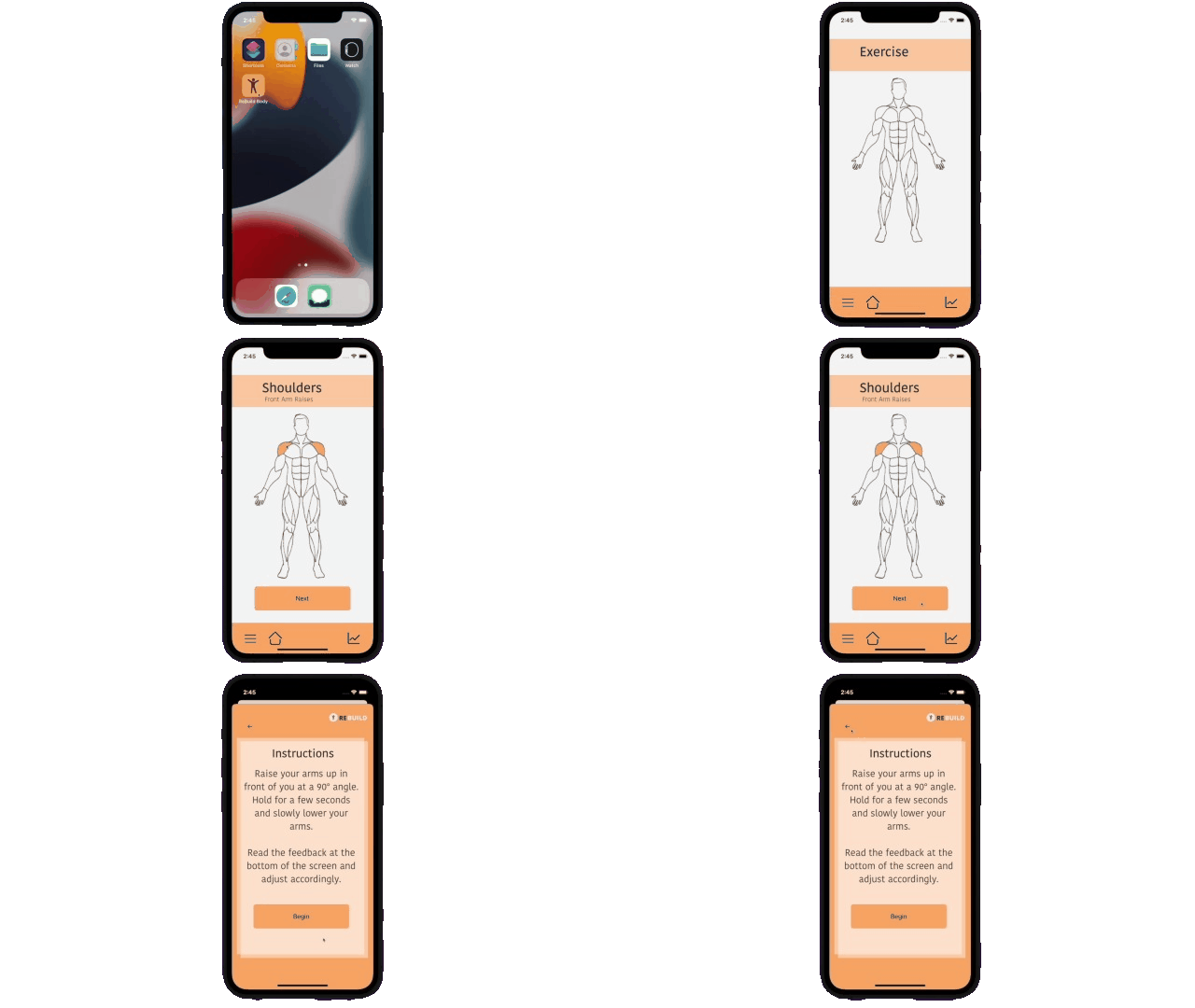
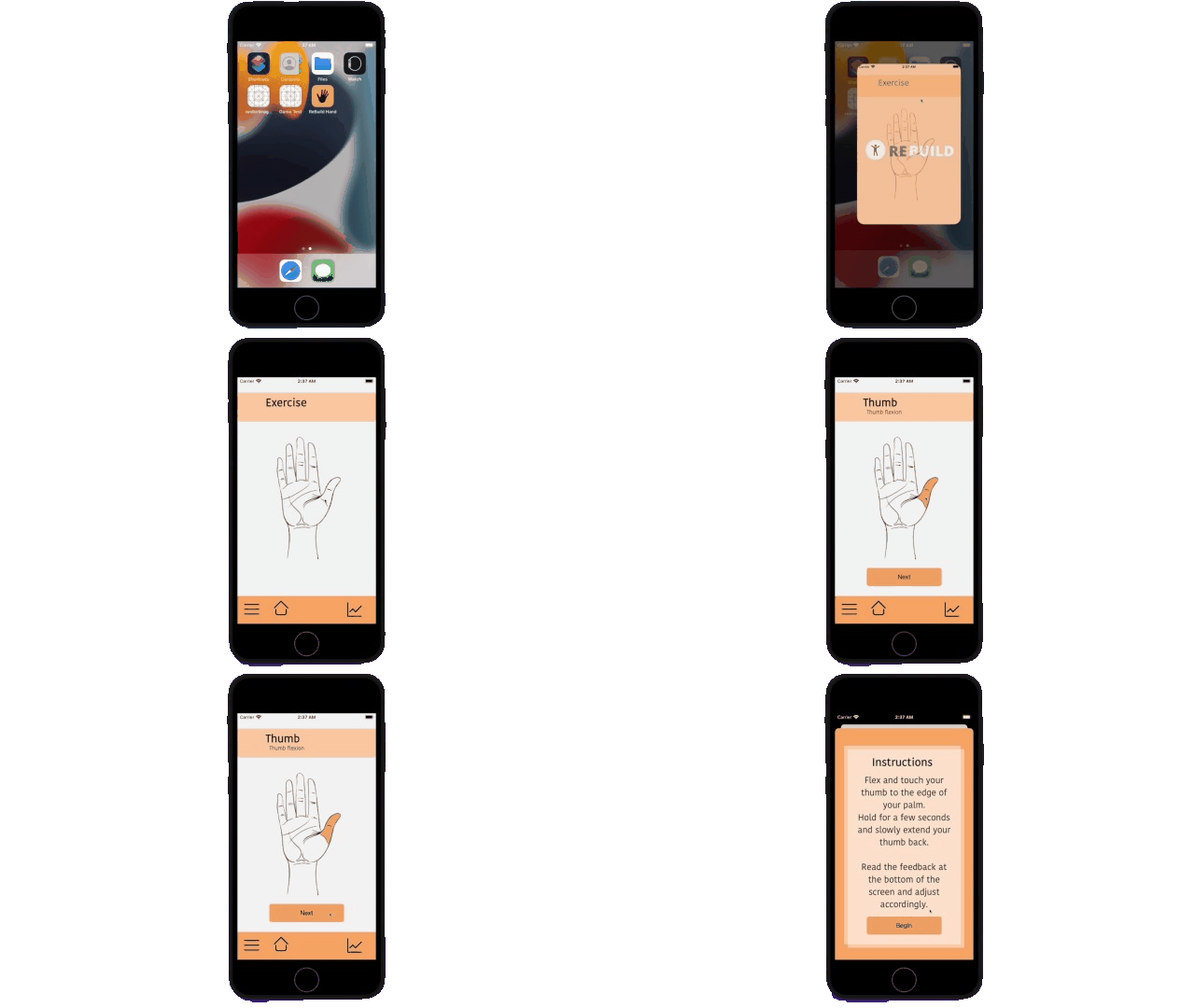
Rebuild Arm and Rebuild Hand are two iOS apps developed using Swift that use machine learning to give users live feedback while they perform rehabilitation exercises. I made one app for a front arm raise exercise (Rebuild Arm) and one for a thumb flexing exercise (Rebuild Hand). Since these two exercises required different ways of interpreting movement, I made two separate apps with different computer vision pipelines. Since the hand app could evaluate the user’s hand position from a single camera frame, I used object detection. The arm app needed to track how the user’s body moved over time, so it collected body pose data from multiple consecutive frames before making a prediction. I used Apple’s live object recognition and action recognition sample projects as the foundations for the camera and vision pipelines and integrated my own hand and arm classifier Core ML models.
Model Training
Before making the apps, I had to first train the machine learning models. We used our own image and video data (yes we literally spent hours filming a TON of pictures and videos of our hands and arms doing various movements) and supplemented this with some examples we found online. For the hand model, I used Plainsight AI to label the image data by drawing bounding boxes over the hands in all our images and categorizing them as “Good” or if the hand needs to “Flex Thumb Further”.
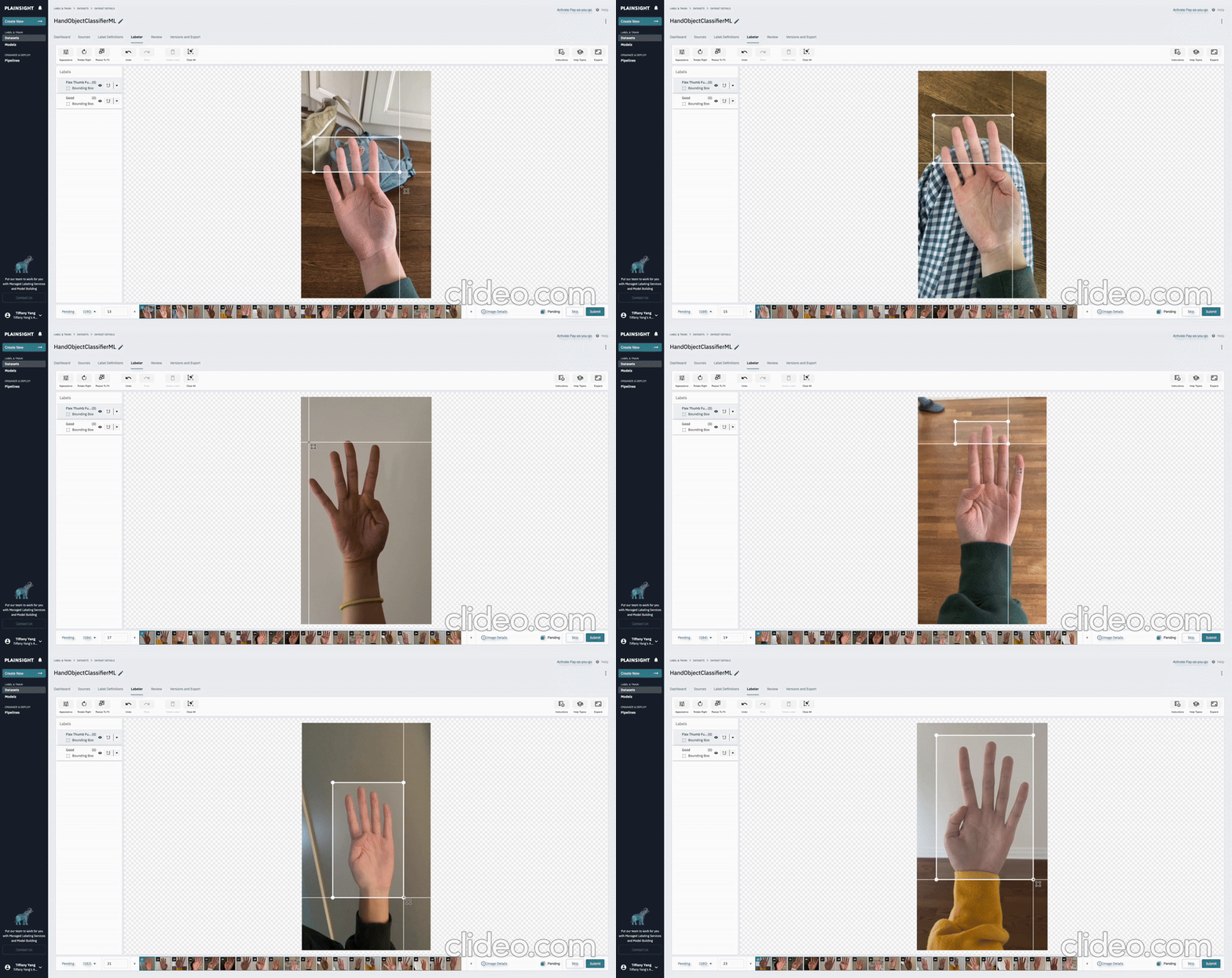
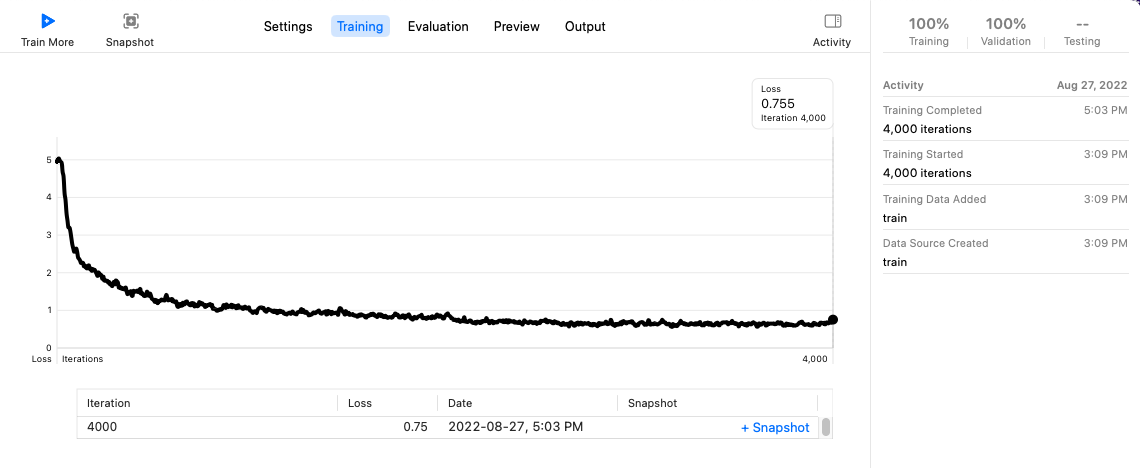
This labeled data was exported into a JSON file which gave the training program a structured description of each example. Next, we used CreateML which is an Apple tool used to train two machine learning models: an object detector for the hand and an action classifier for the arm. The hand object detector had a training loss that went from 5 to 0.755 after 4000 iterations.
To evaluate how well the hand classifier performs on unseen images, the next graph compares how accurately the hand classifier recognizes and places a bounding box around the “Good” and “Flex Thumb Further” hand positions in both training and validation images.

As you can see, the model performed well on validation images with the “Good” hand positions (81.3%), while the “Flex Thumb Further” was slightly lower (74.4%). The overall validation precision of 77.8% showed me that the model was ready to be used in the app.
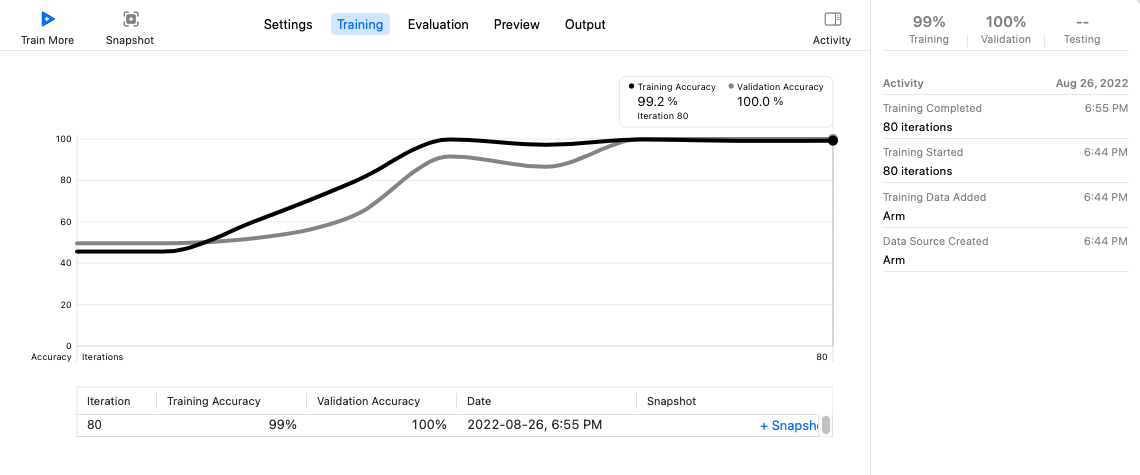
For the arm model action classifier, its job was to track and process the movement of the user’s body over time and classify their form. We ran 80 training iterations and got the following training and validation accuracy curves.
Camera Pipeline
For both apps, I needed to continuously get camera frames from the user’s iPhone and send them to my machine learning model so that it can process the results and give feedback live. I used an AVCaptureSession, which is an object in Apple’s AVFoundation framework that connects the camera input to a video output. Each frame is returned in a container called CMSampleBuffer which contains the image pixels that are later extracted as a CVPixelBuffer. I found that 640 x 480 was a good enough size for the model to get all the details it needs to make an accurate prediction, so we kept our frames at that size. Since the camera and ML processing could be computationally expensive, I ran this work in background queues rather than the main thread which was responsible for the interface of the app. Once the model made a prediction, I would return back to the main thread to update the feedback. I also configured AVFoundation to discard late video frames, which means if the model can’t process frames as quickly as the camera is giving it new frames, then old frames would be dropped rather than overloading a queue.
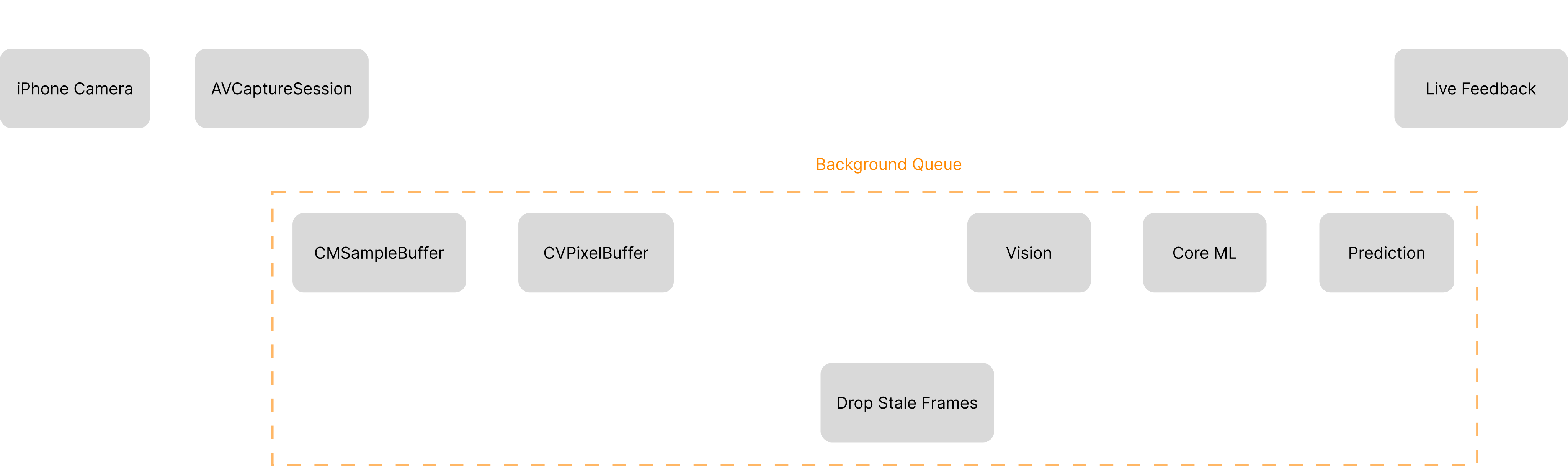
For example, if its receiving a stream of frames: F1, F2, F3, F4, F5, F6, F7 and the model is currently processing F1 but the camera has already reached F7, instead of having it process F1-F7 sequentially which could make the app show feedback about what the user was doing a few seconds ago it would skip the middle frames and just process F1 and F7 so it can provide feedback on the user’s current position. This is very important for keeping the predictions happening live.
Rebuild Hand App: Single Frame Object Detection
After the shared camera setup, the two apps used different computer vision pipelines. For Rebuild Hand, I only needed to know what the user’s hand looks like right now in the current moment which meant I could just analyze the most recent frame. I loaded my custom hand classifier model through Core ML, which is Apple’s framework for running ML models on iPhones and other devices. I then used VNCoreMLModel which allowed Apple’s Vision framework to run the model on camera images. For each camera frame, Vision ran my model and returned a VNRecognizedObjectObservation which would contain a label (“Good” or “Flex Thumb Further”), the highest confidence value (e.g. 87% “Good”) and the bounding box around the hand.
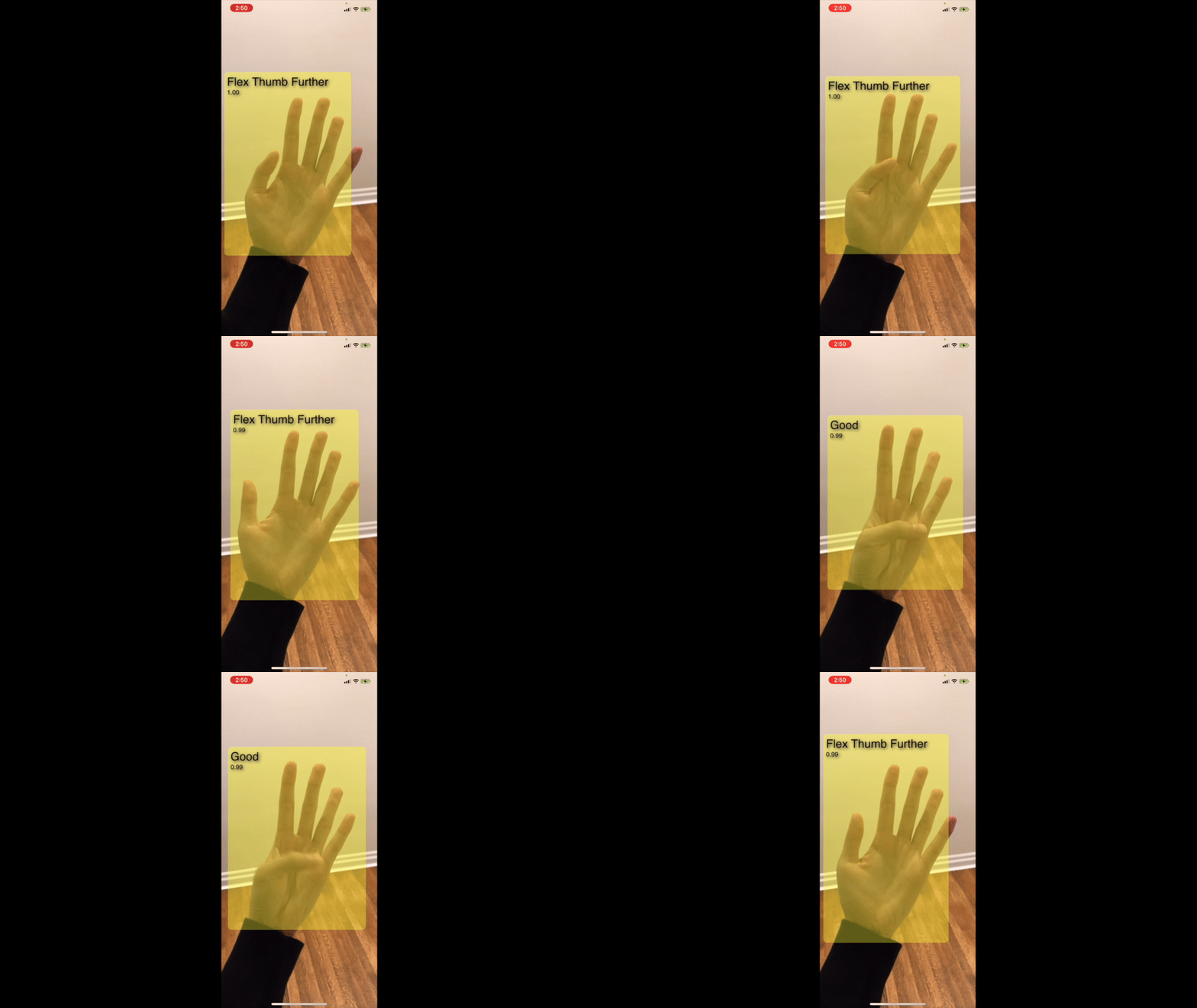
One of the more technically challenging parts of this code was the fact that AVFoundation gets the raw camera data from the user’s iPhone as 640 x 480 sized frames. This size is great for being able to quickly process the images and provide live feedback, but the user’s phone screen will not be this size. I needed to transform the resulting bounding box so it fit around the user’s hand on their iPhone screen. Vision returns the hand’s bounding box using normalized coordinates (between 0 and 1) instead of using pixels. First, I converted these normalized values into their position on the raw 640 x 480 frame. Then, since the camera frame is technically landscape when the app is displayed in portrait, I rotated the bounding box overlay by 90 degrees and then calculated how much the camera image was scaled in order to fit the user’s phone screen. I then applied that scaling factor to scale the bounding box. This box conversion code is done for every VNRecognizedObjectObservation so the bounding box follows the user’s hand if they move it around in front of their camera.
Rebuild Arm App: Multi-Frame Action Recognition
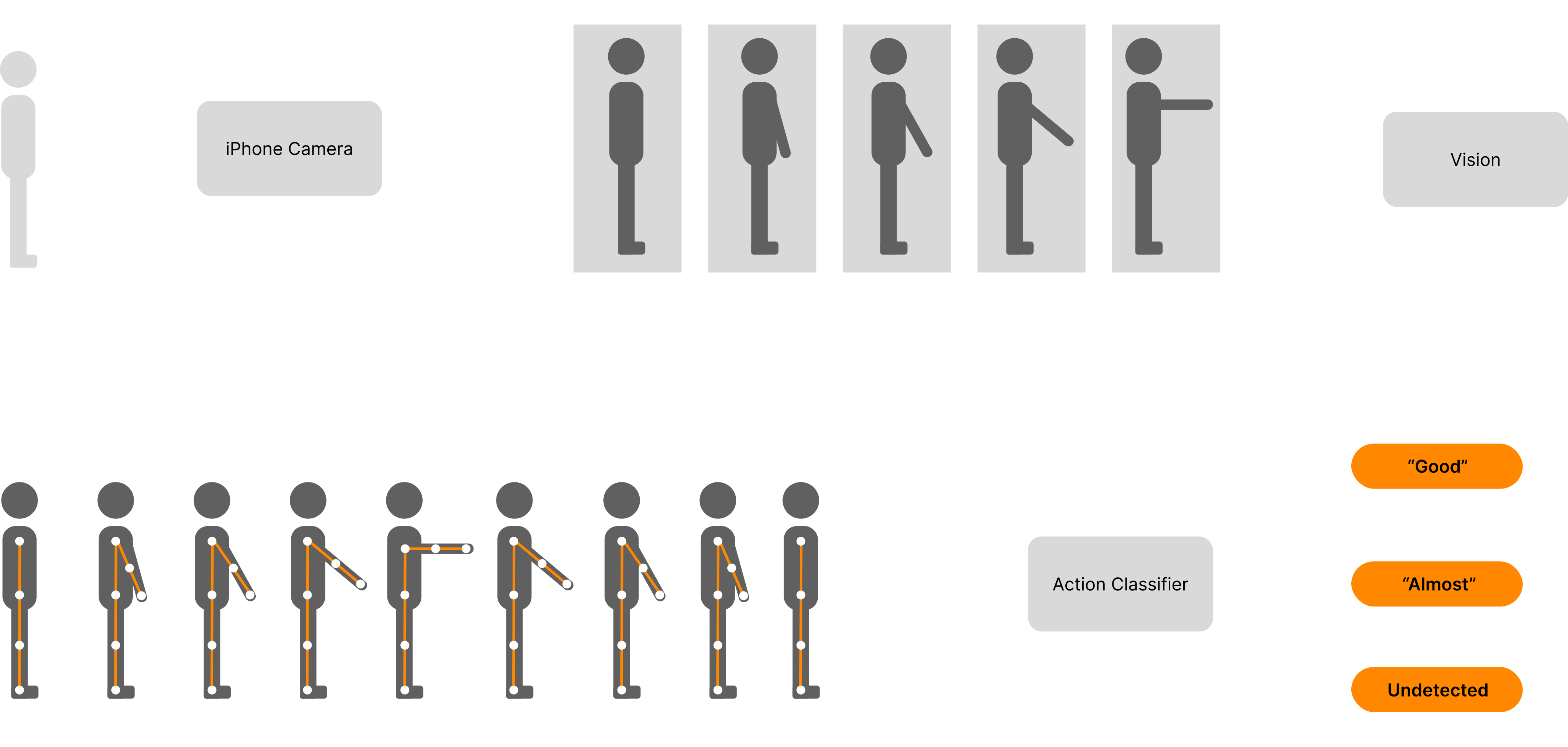
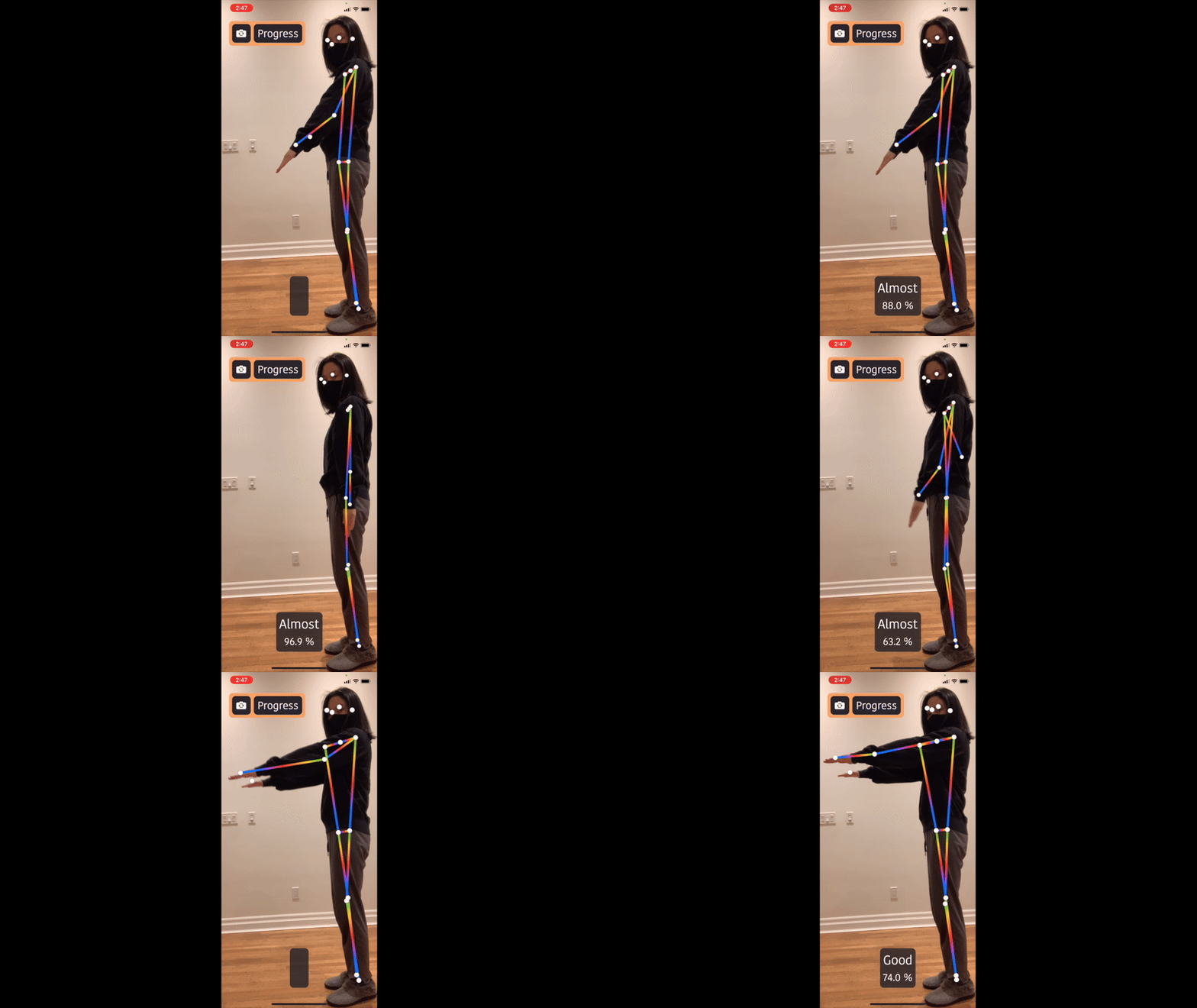
This app was more complicated because I couldn’t just use one image to determine if the user was doing an exercise properly or not. My model needed multiple body positions over time to make a final prediction. To turn images into body joint data, I used Vision’s VNDetectHumanBodyPoseRequest class for each camera frame, which would detect joints like the user’s shoulders, elbows, knees, etc. It does this for the user standing closest to the iPhone, or the user that takes up the largest area on screen.
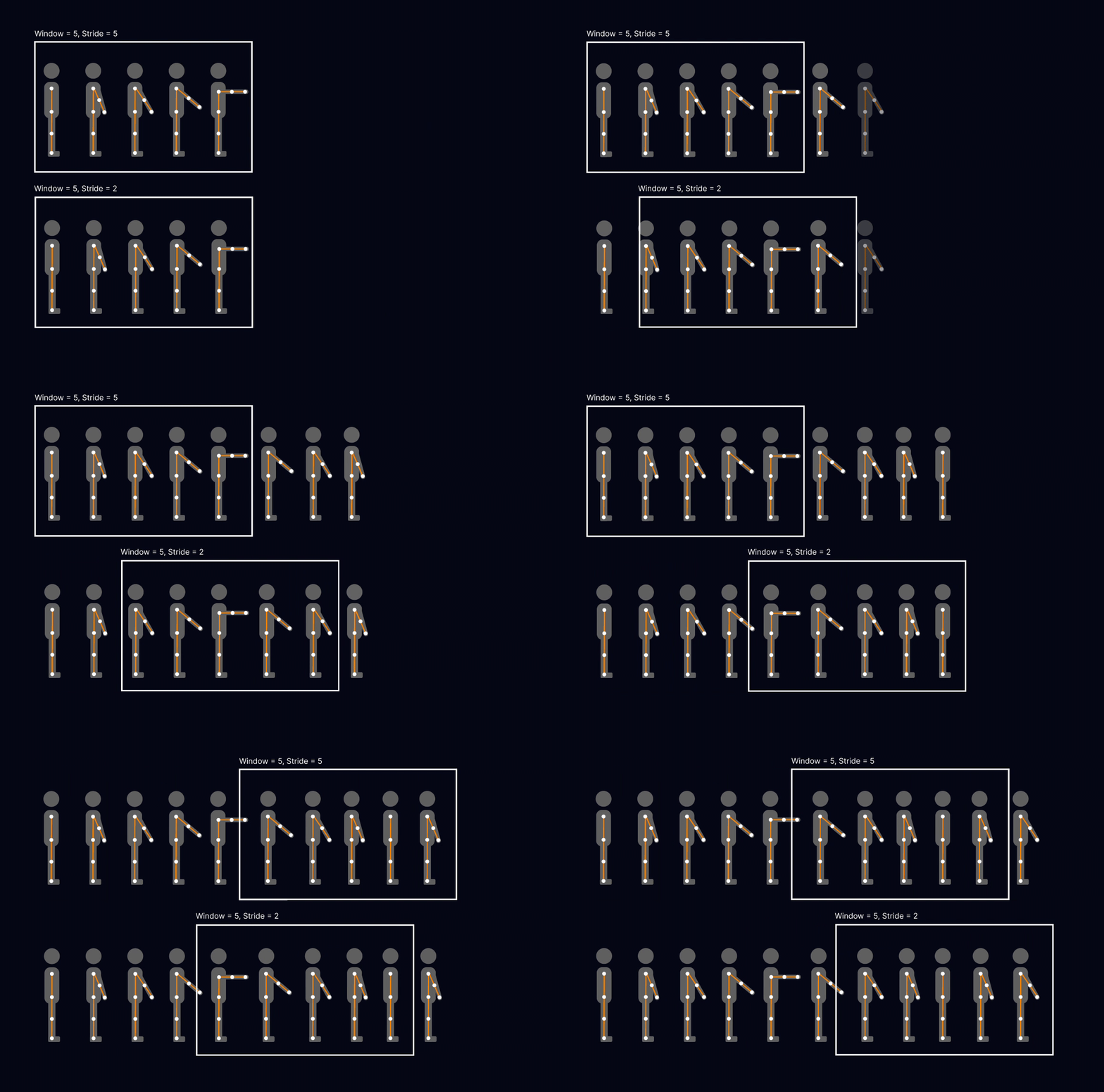
For Rebuild Arm to recognize an action, it needs to analyze a set of poses. For each frame, Vision extracts the body joints to form a pose (P), and multiple poses are grouped into a window (W). The model can look at a certain window and make its prediction based on the poses it contains. I used a sliding window for the app because it allowed the predictions to be made continuously. The amount you shift the window by before making a new prediction is called the stride. Let's say that the model needs a window with 5 poses to make a prediction. If the first window is [P_1, P_2, P_3, P_4, P_5] then the next window would have to wait for [P_6, P_7, P_8, P_9, P10] before it can make a second prediction. In this case, the stride length is the same as the size of the window, which are both 5. If we instead slide the window forward at a stride smaller than the window size, we will be able to make predictions more frequently. Let’s say our stride length is changed to 2, then it will look like this (we discard the oldest 2 poses for every prediction and add 2 new ones to the window):
For my code, I made the stride length 10. Since my camera runs at 30 frames per second, this means I can make a prediction every 0.33s. Finally, I added a minimum confidence threshold of 60% before the model would return feedback to the user. For example, if it was only 35% sure that the user’s action was a good one then it would not say “Good”. This allowed the app to give more trustworthy feedback.